boxed // app refresh // iOS + android design system
Company:
BOXED
Overview
The Challenge
Roles and
Responsibilities
The Process
Year:
2023
As a Product Designer, I collaborated on the design for Android+IOS platforms and web templates. A design system was created for my team to reference for future clients.
I worked closely with the product manager throughout this project and provided extensive documentation for the engineering team to ensure for proper implementation.
Review & Research
Before diving in, a thorough visual audit of the current app and web experience were conducted to best understand all the elements and components being used to date. Questions, such as (but not limited to) what parts are considered general or specific to Boxed? How can we effectively simplify the standard? were asked to help guide a proper breakdown.
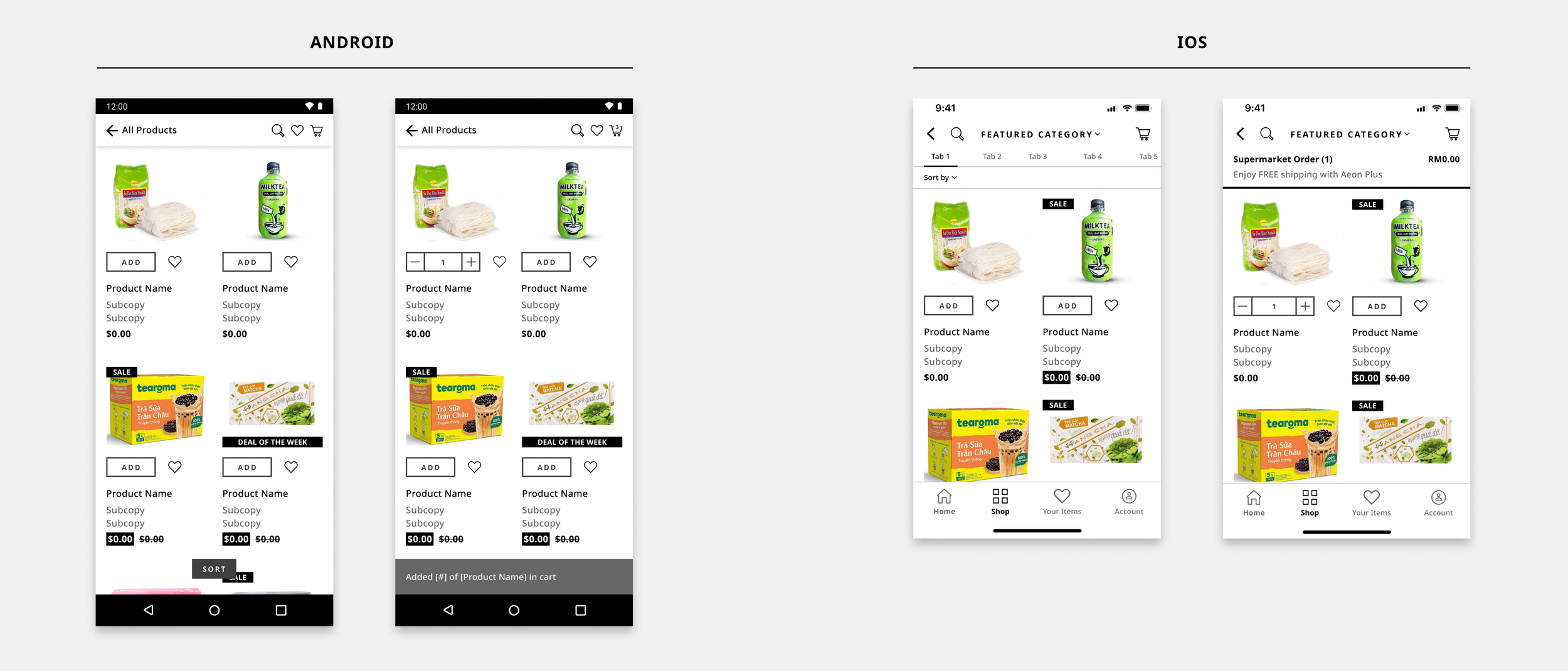
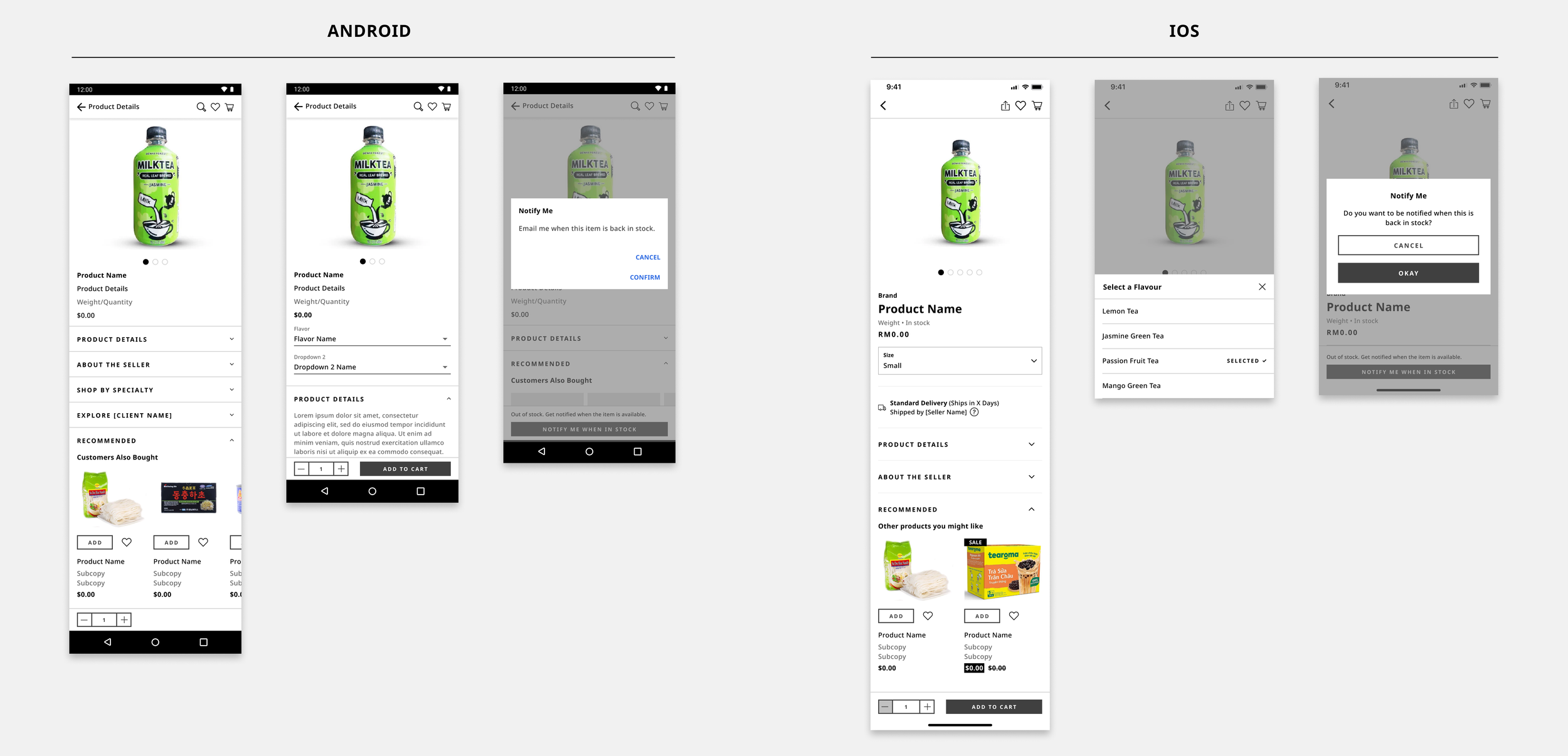
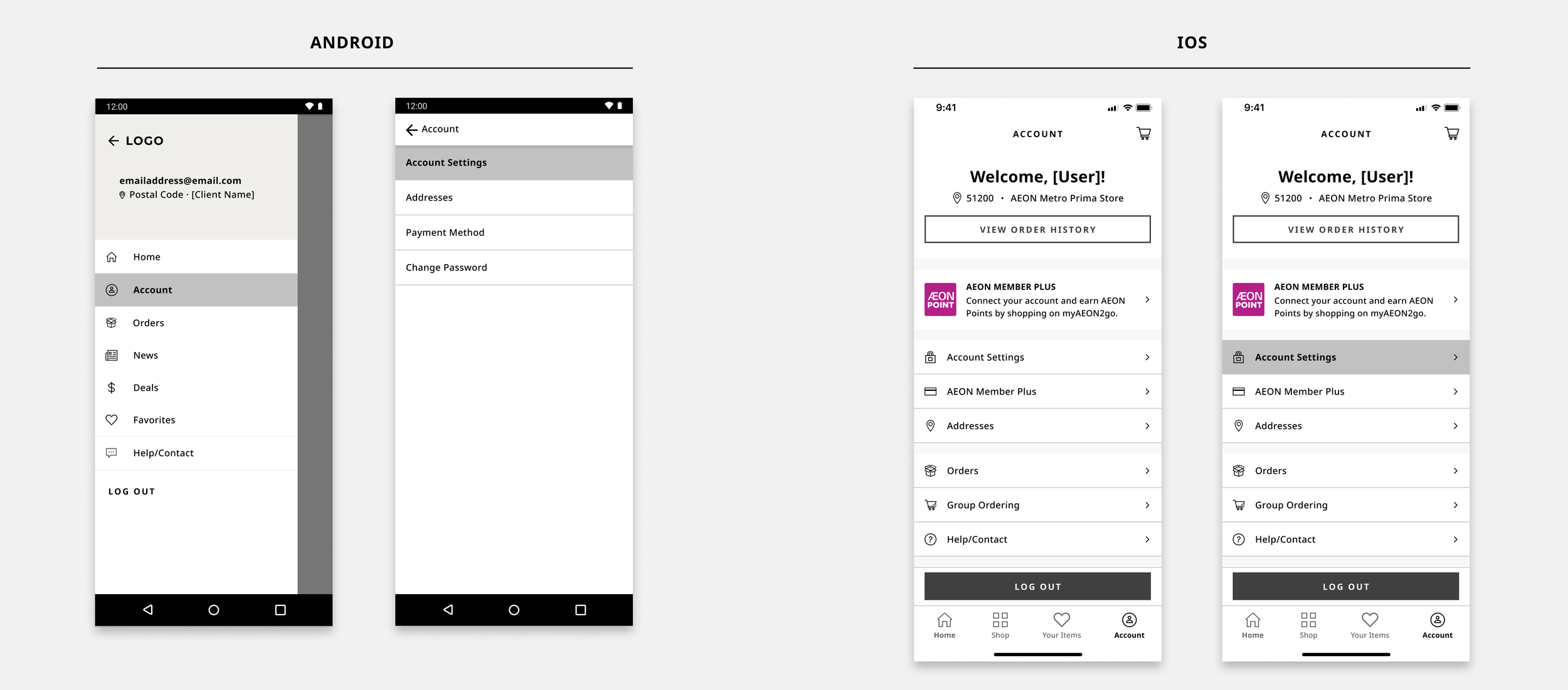
Critical design requirements were addressed in Phases, focusing on design system and screen development. The enterprise’s brand style guide would be incorporated respectively. Establishing a universal design system that included: the PLP (product landing page), the PDP (product description page), Navigation and corresponding native screens that made up an app.
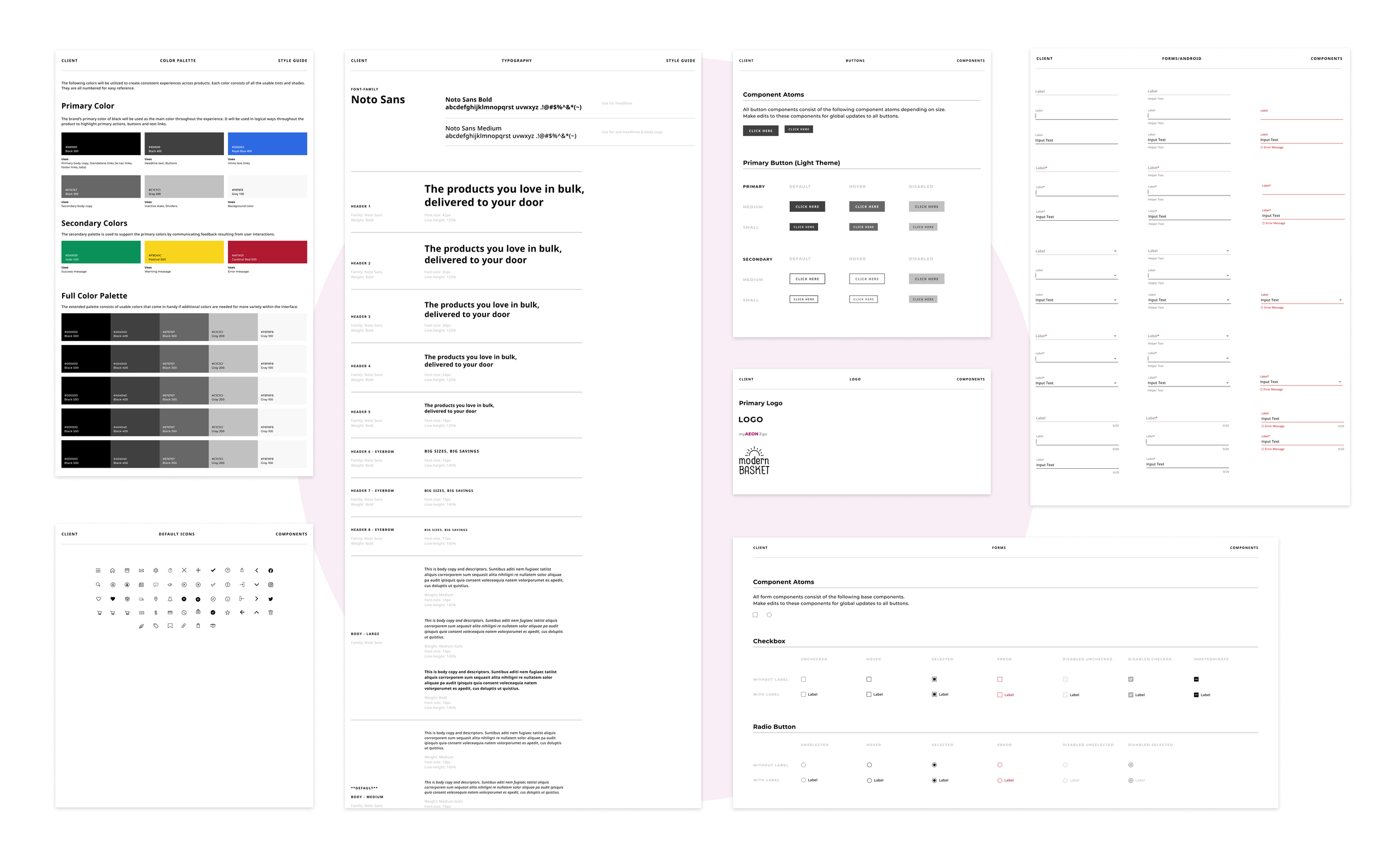
The style guide was prepared in a templated manner, reminiscent of wireframes in greyscale. A critical decision was made to adopt a typeface that would accommodate any language, (Aeon Vietnam would potentially become another client). Noto Sans was confidently selected as it is a global font collection for writing in all modern and ancient languages and provides multiple styles, weights and widths.
Establishing the Design System
Duration:
PLP (Product Landing Page)
PDP (Product Description Page)
Navigation
User Flow
The Challenge - Part II
As the design system was coming together, another challenge presented itself. During discovery interviews with enterprise clients, we learned that each company had unique order fulfillment workflows—many used multiple payment systems, custom invoicing, or third-party logistics. One international retailer even required integration with regional fulfillment partners due to differing inventory rules by country.
This lack of flexibility created friction in the checkout experience, especially for enterprise buyers who needed to choose from multiple fulfillment options (ship to store, split shipments, local pickup, custom freight, etc.). As a result, checkout became a major blocker to conversion and platform adoption.
As if the problem wasn’t complex enough, the product tea, received reinforcement in how critical this issue can be. The data science team forecasted that this limitation could create friction during enterprise onboarding and potentially stall contracts. The merchandising team reported that 28% of enterprise opportunities required fulfillment flexibility as a condition to onboard. Without careful thought, deals could slow—or move to competing platforms that offered more customization.
Enterprise purchasing teams needed a checkout experience that matched their unique operational setups. Many used split shipments, freight delivery, store pickup, regional warehouses, or vendor-specific delivery, depending on the order. Without the ability to select fulfillment options suited to their workflow, users were forced to create manual workarounds outside the platform—causing delays and frustration.
How might we design a checkout experience that supports flexible and customizable fulfillment methods—without increasing complexity for the user?
Review & Revise
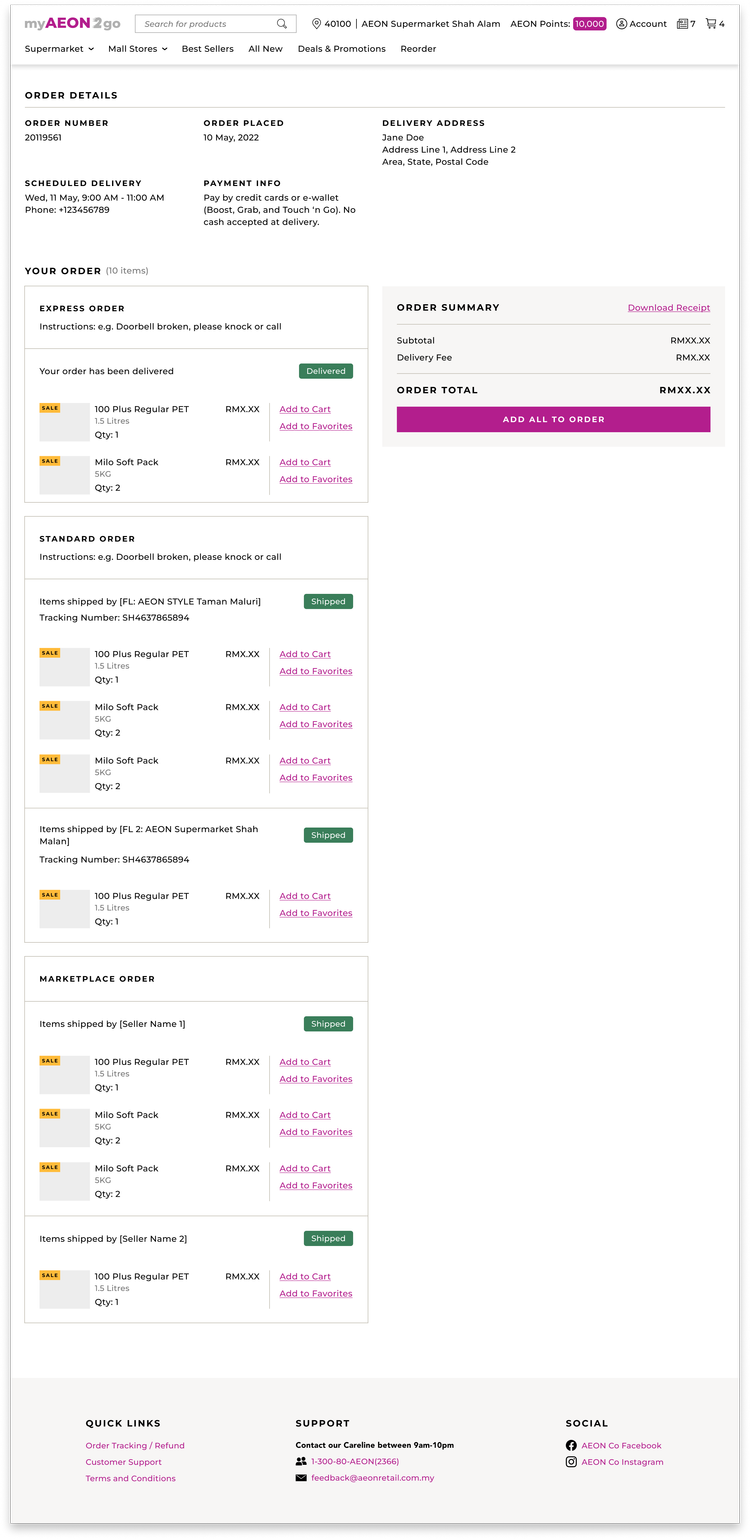
To best approach this challenge, I consulted with developers to see how multiple cart types are processed on the backend. As a solid starting point, the team revisited how the breakdown of cart types may help guide how multiple payments and fulfillments would be processed. Boxed has two types- Standard and Express- and because both are fulfilled different, payments are broken down separately.
To better understand fulfillment complexity across enterprise clients, we combined qualitative insights with behavioral data and business feedback.
Initial conversations framed this as a feature request for “more shipping options.” But through discovery, it became clear this wasn’t really a shipping problem — it was a workflow flexibility problem. Enterprise teams don’t just need to choose where things go — they need to define how work moves through their organization.
We needed to reconfigure the checkout experience to adapt to different operational models, logistics partners, and delivery rules — without making enterprise users feel like they’re configuring a system.
To guide solution exploration, I defined a set of design principles to ensure we solved the right problem in the right way. Instead of forcing a single rigid fulfillment flow, a modular checkout architecture was entertained as it had potential in supporting different enterprise scenarios without increasing cognitive load. I worked with one of the back end engineers to best develop these necessary pillars.
I explored multiple ways to introduce fulfillment flexibility without increasing complexity. Early design directions ranged from light add-on features to fully modular architecture. Initial concepts included multi-step fulfillment modals, line-item fulfillment, and smart defaults with expandable options. The team even entertained an admin-level fulfillment setup which was in line with the current development of the overall SaaS platform that was being built simultaneously. ‘
Multi-step fulfillment would allow for the addition of the fulfillment choice inside the checkout flow as a step. This would be fast to build but doesn’t scale to complex workflows. Line-item fulfillment would allow each SKU to be assigned a fulfillment method. This would deliver on maximum flexibility but what happens to users with simple needs? Smart default with expandable options would allow enterprises to start simple, and expand if needed, but this would require some serious intelligent logic on the back end. The team felt good about keeping a default flow while supporting any advanced scenarios.
I worked with my fellow product designers to brainstorm some interactive concepts:
a) Fulfillment drawer would allow users to configure methods inline without losing context.
b) Split order toggle enabled multi-location or vendor-based routing only when necessary. (Boxed had developed something similar for fulfilling standard and express order types).
c) Smart defaults would auto-suggest delivery ruled based on past behavior (we would look to leverage the data science team here)
d) Rule hints would assist in clarity within line items.
e) Batch assignment (utilize current build for catalog upload in SaaS platform) would allow the application of fulfillment methods in bulk for large orders.
While UX decisions were being made, the user flow needed to be revisited.
The Checkout experience was pretty straightforward:
Cart -> Checkout -> Shipping -> Review Order -> Payment
The proposed new flow would adapt to potential enterprise workflows:
Cart -> Configure Fulfillment -> Shipping Rules (optional) -> Review based on Location -> Payment
Sadly this project was cut short as the overall company was restructuring and navigating bankruptcy.
3 Months
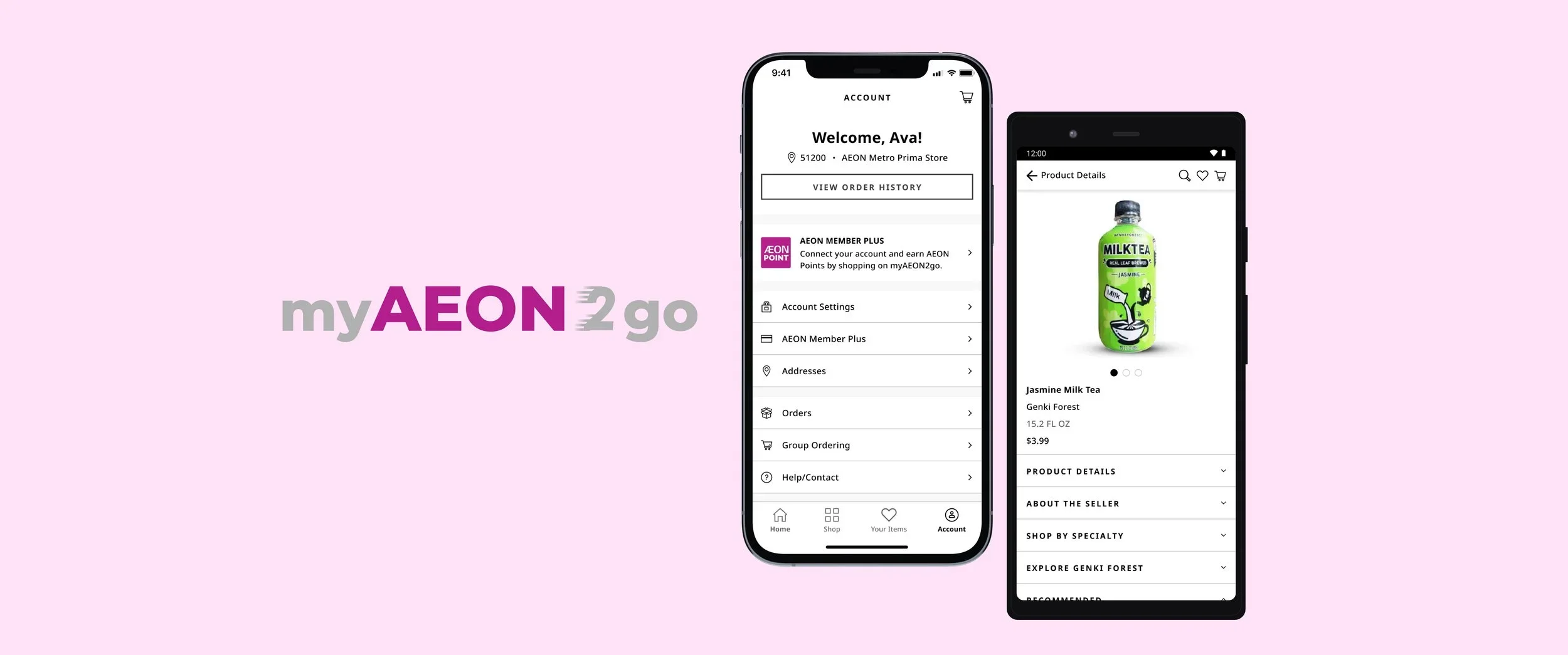
Aeon MY is a prominent Malaysian retail and property management company, who manages shopping malls and offers services like member rewards (AEON Member Plus), financial services, and an e-commerce platform called myAEON2go. It is an enterprise that uses the Boxed web/app platform to sell their products online.
The goal is to easily deploy and maintain native app platforms for new enterprise customers.
How might we standardize the current Aeon MY mobile experience so that it can be an intuitive experience for future enterprise customers?